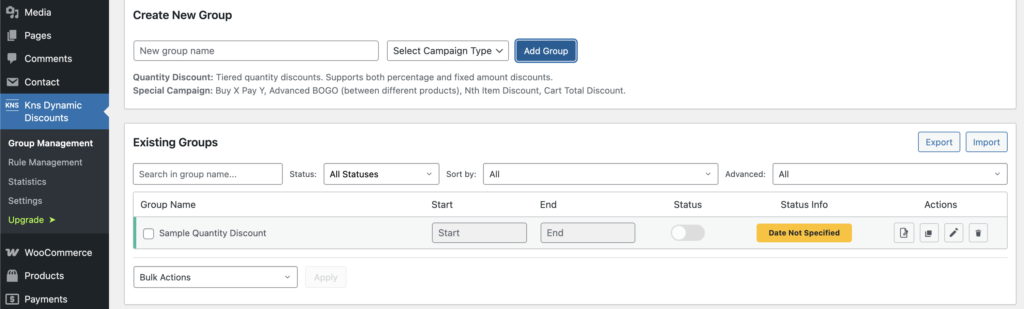
Step 1: Open Groups Page #
In your WordPress admin, go to Kns Dynamic Discounts → Group Management
Step 2: Create a New Group #
- In the “Create New Group” section:
- Enter a name in the “New group name” field
- Select a type from the dropdown:
- Quantity Discount – Tiered quantity discounts (supports both percentage and fixed amount)
- Special Campaign – Buy X Pay Y, Advanced BOGO, Nth Item Discount, Cart Total Discount
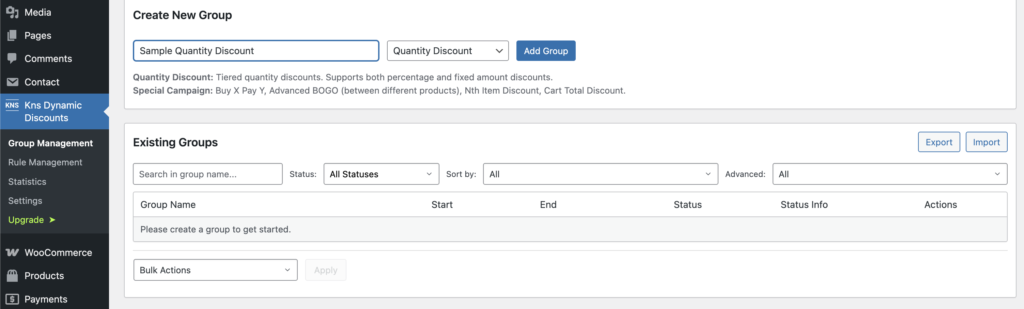
2. Click “Add Group”
Your group appears instantly in the “Existing Groups” table below.